
Right after taxes, the second most annoying thing about being an entrepreneur is billing. And unless you are one of those rare businesses that offers set package prices, the only way to provide your customers with accurate billing is to keep track of the hours spent on each task. You can certainly limp along with an Excel spreadsheet, but now there are so many tools that can help you track your time in a more fun and more accurate way—so why not give one of these a try? We recommend using this guide to make a preliminary pick or two, and then trying it out for a few days. If it’s not easy for you to use or doesn’t fit your work process, just move on! None of these is particularly expensive, so there’s no need to stick with one you don’t like.
Hours (for iOS only)
 To track your time on a project, you just create a new “timer” in the Hours app and name it according to your project. Then, just hit the clock button. You can make as many timers as you want, and we like that it makes it very easy and intuitive to switch between times with just a single tap. The app runs in the background to track your tasks, so you can do other things with your iOS device as necessary. When you’re ready to bill, you can export your hours into a .CSV format that you can open in Excel or a PDF format. There aren’t any advanced visualizations or pay tracking—Hours is about simplicity.
Forbes has called Hours “the perfect iPhone time tracking app,” and recently they announced an integration with FreshBooks—perfect for entrepreneurs and freelancers.
Find out more about the Hours app.
Toggl (for iOS, Android, web, and Linux)
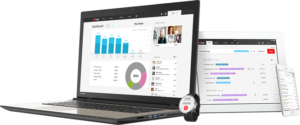 Need an app that’s a little bit more robust—and is available on the web and on iOS and Android platforms? Enter Toggl. It’s similar to Hours in that it lets you start or stop a timer and manage its details. We like that you can manually adjust your time if you forget to start your timer before beginning a task. Instead of projects, timers represents actual tasks, which you can then assign to a project or even associate tags (like a particular company that you’ll be billling, or whether a task is billable or not).
Another advantage to Toggl is its great list of integrations. You can find the big list here, but some of our favorites include Google Calendar, QuickBooks Online, Project Manager, Dropbox, Slack, Wrike, Gmail, and FreshBooks. Analytics are impressive, allowing you to generate pretty infographics, like piecharts showing how much time you spent designing a logo versus how much time you spent creating business cards and brochures.
There’s a free version of the app that lets you track unlimited projects and teams of up to 5, but there’s a more robust version of the app for $5/month per user, or an even more feature-rich version targeted to businesses for $49/month per user.
Find out more about the Toggl app.
Timesheet (for Android)
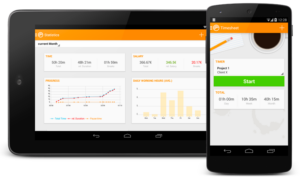 Like Toggl and Hours, Timesheet allows you to record your hours with a push of a button. You can add breaks, expenses, and notes, and when it’s time to bill, you can export your data to Excel. One of the unique features of Timesheet is that it uses location tracking, so that you can set it up to track your time when you are in a particular GPS location or connected to a particular WiFi network—so you don’t even have to think about time tracking. Did we mention that it’s free?
Find out more about the Timesheet app.
QuickBooks Compatible BigTime (iOS, Android, and web)
If you’re already using Quickbooks, there is a list of time-tracking software approved by Intuit (conveniently sorted from highest reviews to lowest) to be compatible. We found, however, that these products have a relatively high subscription fee (whereas these apps above max out at $5/month for typical users), and they don’t always offer apps for mobile devices. The most highly rated time tracker on this list is BigTime, which costs $5.60/month and does offer a mobile app. You do get a bit more from BigTime, which bills itself as project management software on top of time tracking.
Find out more about BigTime here.
Time Doctor (iOS, Mac OS X, Windows, Linux, Chromebook, Android)
Time Doctor is a time monitoring and productivity monitoring tool that is designed to help businesses reduce wasted hours at work and improve employee productivity. Apart from time tracking, it also provides other features like monitoring screenshots, tracking web and app usage, payroll and many more to make sure you get a lot more done each day.
The task management feature lets you provide a breakdown on how much time is spent on which projects (or clients) and tasks. Time Doctor smoothly integrates with 32 popular management platforms to ease your work. It can also generate team reports for exact time worked and when each person was working or on a break, or in meetings away from the computer.
Time Doctor is available to use on Windows, Mac OS X, Linux, Chromebook, iOS, and Android. You can try Time Doctor free for 30 days. It also comes with a solo plan for $5 per month and a free plan with limited features. You can also get discounts for teams with over 10 users.
Find out more about Time Doctor here.
Didn’t find quite the right app yet? Here’s a list of others to try:
- aTimeLogger (iOS only)
- ATracker (iOS only)
- EternityTime (iOS only)
- Everhour (web-based)
- Harvest (iOS, Android, web, desktop)
- My Minutes (iOS only)
- Now Then (iOS only)
- Paydirt (web-based)
- Paymo (iOS, Android, web, desktop)
- Sometime (iOS only)
- Timecamp (iOS, Android, web, desktop)
- Timely (web, iOS)
- Tyme (iOS only)
Let us know if you have an app we haven’t mentioned… we’re always on the hunt for the best tech tools.